Securing an internship through the All India Council for Technical Education (AICTE) is a pivotal step for students aiming to bridge the gap between academic theory and industrial application. With the government’s push to provide one crore internships by 2025, the AICTE Internship Portal has become the central hub for opportunities with top-tier companies, MSMEs, and public sector undertakings. However, the difference between a rejected application and an interview call often comes down to one administrative detail: the accuracy and presentation of your documentation.
Many students falter not because they lack skills, but because they fail to adhere to the strict documentation guidelines. Knowing exactly what documents required on AICTE internship portal are mandatory—and how to format them—is critical. This comprehensive guide will walk you through the specific checklist, including the nuances of merging transcripts and formatting your resume, to ensure your profile is verified without delay.
Detailed Checklist: Documents Required on AICTE Internship Portal
Based on the latest portal requirements, you must prepare the following six specific categories of documents. We will explore each in detail to ensure you meet the exact specifications.
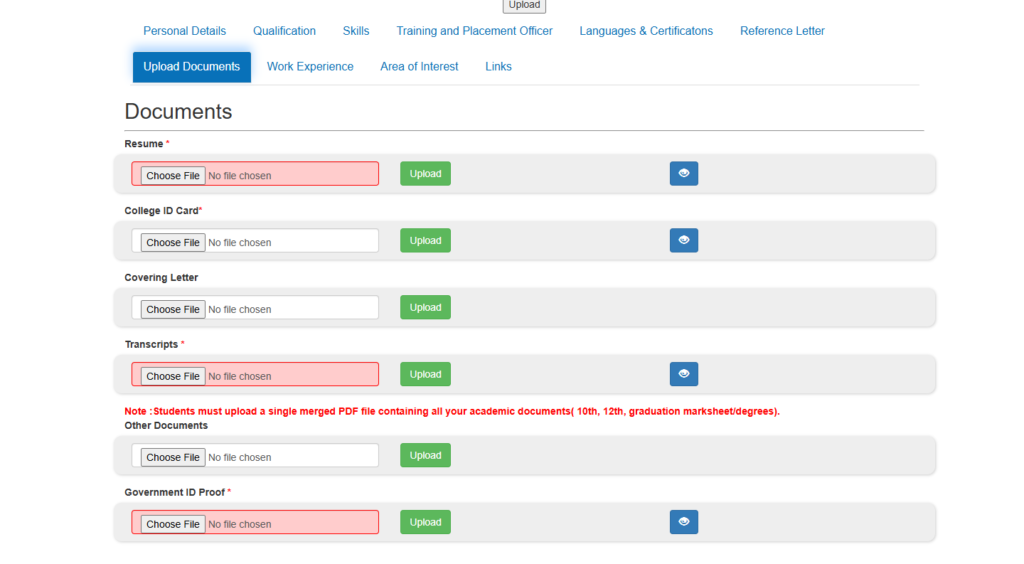
1. Resume * (Mandatory & ATS-Friendly)
Your resume is the most critical document in your application. It is your first impression. However, on the AICTE portal, it is not just humans reading
your CV—it is often an ATS (Applicant Tracking System).
What is an ATS? An ATS is software used by companies (like Google, Microsoft, and TCS) to scan thousands of resumes instantly. It filters candidates based on keywords. If your resume is not “ATS-friendly,” the software might reject it before a human ever sees it.
How to Make Your Resume ATS-Friendly:
- Simple Formatting: Avoid complex layouts, double columns, graphics, tables, or icons. The ATS software reads from left to right, top to bottom. If you use text boxes or tables, the scanner might scramble your information.
- Standard Headings: Use standard section titles like “Education,” “Work Experience,” “Skills,” and “Projects.” Do not use creative headings like “My Journey” or “What I Bring,” as the bot may not recognize them.
- Keywords are King: Read the internship description on the portal carefully. If the internship asks for “Python,” “Data Analysis,” and “Communication,” ensure these exact words appear in your resume.
- Font Choice: Use standard, professional fonts like Arial, Calibri, or Times New Roman. Avoid script or handwriting fonts that are hard for machines to “read.”
- File Format: Always upload in PDF format, but ensure it is a text-based PDF, not an image-based PDF. You should be able to highlight and copy the text in your PDF.
Checklist for Upload:
- [ ] File size under 2MB
- [ ] No photos or graphics.
- [ ] Keywords matched to the internship domain.
- [ ] Contact details (Email/Phone) match your AICTE registration.
2. College ID Card (Mandatory)
The College ID Card serves as the primary proof of your current student status. Since AICTE internships are exclusively for students enrolled in recognized institutions, this document validates your eligibility.
- Validity: Ensure the ID card clearly shows the validity period. If your card has expired, you may need to ask your college administration for a temporary bonafide certificate.
- Clarity: Scan the front and back if the address or validity details are on the reverse side. The text must be readable without zooming in excessively.
3. Covering Letter
While sometimes optional depending on the specific internship, a Covering Letter is a powerful tool to distinguish yourself from thousands of other applicants.
- Purpose: It explains why you want the internship. It allows you to tell a story that your resume cannot—such as your passion for a specific technology or your admiration for the company’s work.
- Structure: Keep it professional. Address the hiring manager, state the position you are applying for, mention 2-3 key skills, and conclude with a call to action.
- Format: If the portal asks for an upload, use PDF. If it is a text box, draft it in a document editor first to check for grammar, then paste it.
4. Transcripts (Mandatory & Specific Format)
This is the area where most students make mistakes. The requirement for documents required on AICTE internship portal regarding academics is very specific.
- The Rule: You must upload a single merged PDF file.
- Content: This single file must contain:
- Class 10th Marksheet
- Class 12th Marksheet (or Diploma Marksheet)
- Graduation Marksheets (All semesters available so far) or Degree Certificate if completed.
- Order: Arrange them chronologically. Start with the most recent (Graduation) at the top, followed by 12th, and then 10th. This allows recruiters to see your current status first.
- How to Merge: Use free online tools like iLovePDF, Smallpdf, or Adobe Acrobat to combine your individual scanned images or PDFs into one document. Ensure the final file size does not exceed the portal’s limit (usually 2MB or 5MB).
5. Other Documents
This category is for supporting evidence that strengthens your application.
- Certificates: If you have completed courses on NPTEL, Coursera, or Udemy, include these certificates here.
- Project Reports: For technical roles, uploading a brief report or a link to a project portfolio can be a game-changer.
- Recommendations: Letters of recommendation from professors or previous employers can also be included here if space permits.
6. Government ID Proof (Mandatory)
Distinct from your College ID, the Government ID Proof is required for identity verification and background checks.
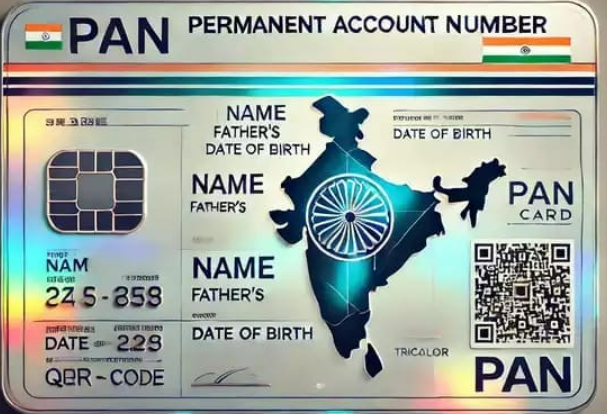
- Accepted Documents: Aadhaar Card is the most commonly accepted proof. PAN Card, Voter ID, or Driving License are also generally valid.
- Consistency: The name on your Government ID must match the name on your academic transcripts and the name you used to register on the portal. Any discrepancy here can cause verification issues during the onboarding process.
How to Prepare and Upload Your Documents
Once you have gathered the documents required on AICTE internship portal, follow this structured process to upload them correctly.
Step 1: Scan and Digitize
Use a high-quality scanner or a mobile scanning app (like Adobe Scan or CamScanner). Ensure there are no shadows over the text. Crop the images so that no table background is visible—only the document should be seen.
Step 2: Merge and Compress
As noted for the transcripts, merging is essential. After merging, check the file size. High-resolution scans can create large files that the portal will reject. Use a PDF compression tool to reduce the file size to under 2MB while maintaining readability.
Step 3: Naming Convention
Do not upload files named “Scan_001.pdf” or “New_Doc.jpg”. Rename your files professionally for easy identification by the system and recruiters:
- Rahul_Sharma_Resume.pdf
- Rahul_Sharma_Transcripts.pdf
- Rahul_Sharma_CollegeID.jpg
Step 4: Uploading on the Portal
- Log in to your student account.
- Navigate to “Profile Settings” or “Edit Profile”.
- Go to the “Documents” tab.
- Select the specific category (e.g., “Resume”) and click “Browse” or “Upload”.
- Wait for the progress bar to complete and look for a “Successfully Uploaded” notification.
- Crucial Step: Always click the “View” button after uploading to ensure the correct file was uploaded and that it opens without errors.
Key Benefits of a Complete Profile
Adhering to the list of documents required on AICTE internship portal offers immediate advantages:
- Faster Verification: Profiles with clear, complete documentation are verified faster by college TPOs and AICTE administrators.
- Higher Visibility: The portal’s search algorithm prioritizes complete profiles. When recruiters filter for candidates, those with missing transcripts or IDs are often filtered out automatically.
- Professional Image: Providing a neat, merged PDF of transcripts shows attention to detail—a soft skill highly valued by employers.
Learning Outcomes and Future Readiness
The discipline required to organize these documents prepares you for the corporate world.
- Digital Literacy: You learn to manipulate digital files, merge documents, and manage data privacy.
- Compliance: You learn the importance of adhering to strict guidelines, a requirement in every major industry.
- Self-Audit: Reviewing your own transcripts and resume forces you to take stock of your academic career and identify gaps that need filling.
Conclusion
The documents required on AICTE internship portal—specifically your Resume, College ID, Covering Letter, Merged Transcripts, and Government ID—are the keys to unlocking your career potential. This is not just paperwork; it is the evidence of your hard work and your readiness for the professional world.
Do not let a “File Too Large” error or a missing 10th-grade marksheet stand between you and your dream internship. Take the time today to scan, merge, and label your documents exactly as described. A meticulous application is the first step toward a successful career.
Log in now, check your “Documents” tab, and ensure your profile is 100% complete!
Also Read:
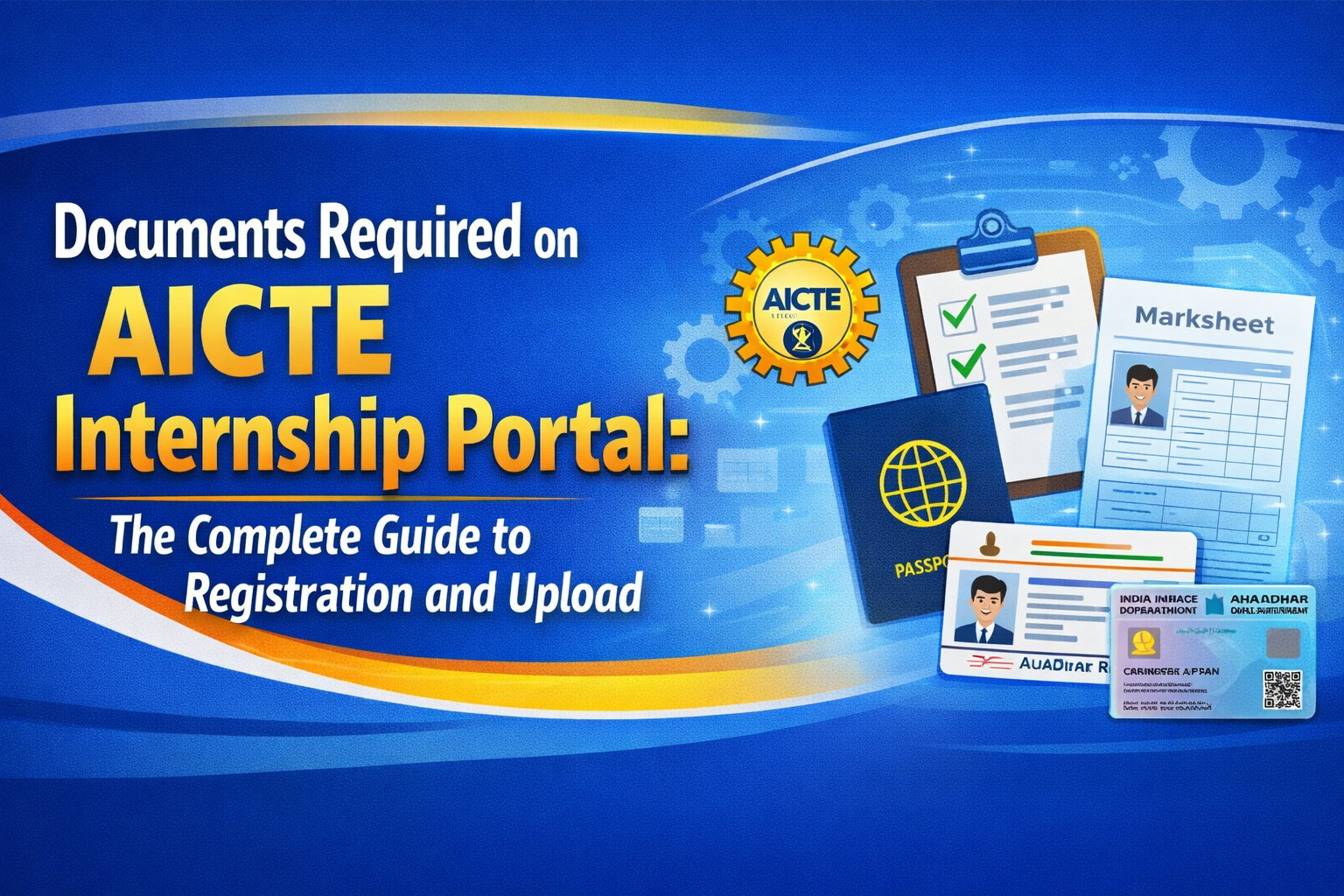
Documents Required on AICTE Internship Portal: The Complete Guide to Registration and Upload
How to Add Qualifications on the AICTE Internship Portal: A Step-by-Step Guide
Stay Ahead of the Competition!
Join our exclusive WhatsApp Group for daily updates on new internship openings, document verification hacks, and direct application links. 👉 [Join WhatsApp Group]