

To register as a student on the AICTE Internship portal, please follow the steps below:
Step 1 : Visit the official website of the AICTE Internship portal at https://internship.aicte-india.org/.
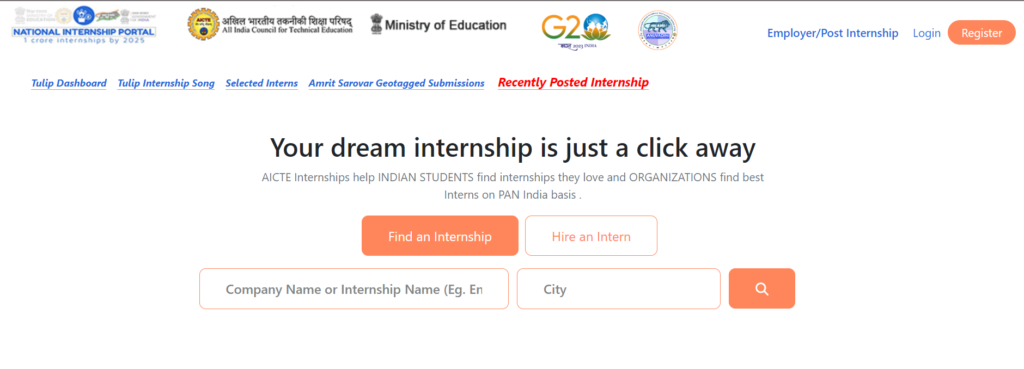
Step 2 : If You are first time user Then You have to Click on the “Student Registration” tab on the homepage.

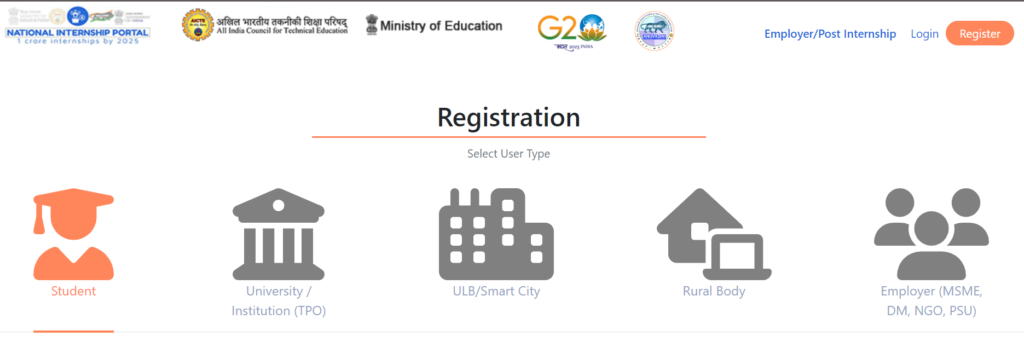
Here You can 5 options of registration but if you are student you have to click on student this is the first tab .
Step 3 : After Select the Student tab . You have to select your student . if your institute affiliated to aicte then you have to click on first checkbox AICTE affiliated organisation. OTHER wise you have to select Non- AICTE Tab . This tab for (UGC/IGNOU/OTHER) Colleges. You can see on this pictures.
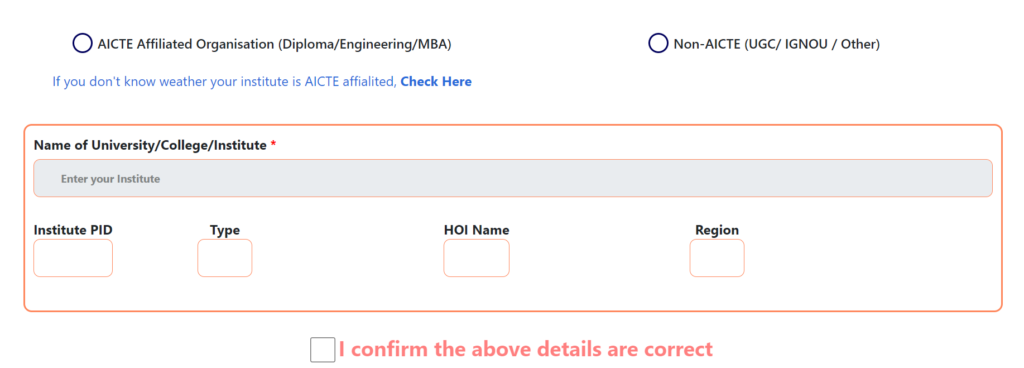
Step 4 : if you are select AICTE affiliated organisation tab. you will see AICTE affiliated institution list. Like this you can see on this figure .
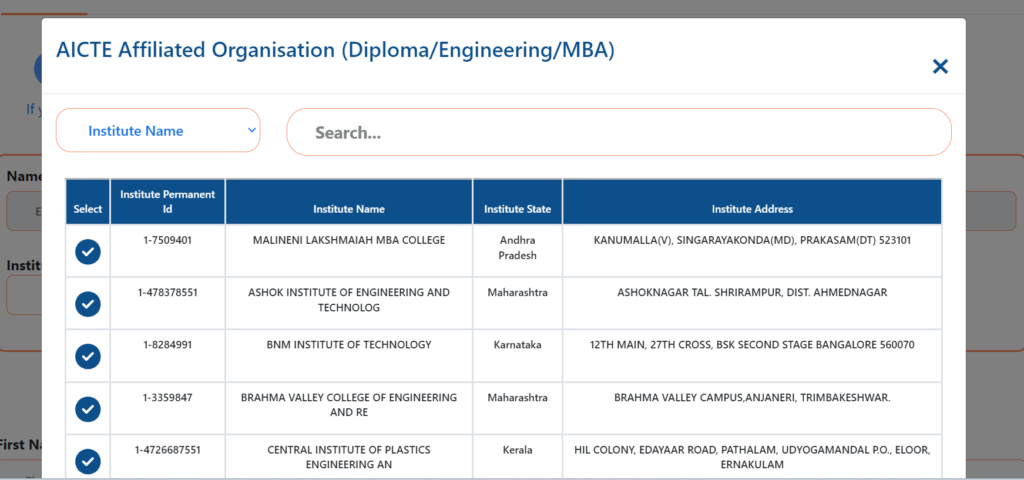
STEP 5 : Here You can search your college using filter . Here three filter available for search institute. You can search By institute Name, Institute PID, and Institute Add. After the search you have click on check button for selection of college. after selection of your college you can see all the details of your college automatically filled in the form.
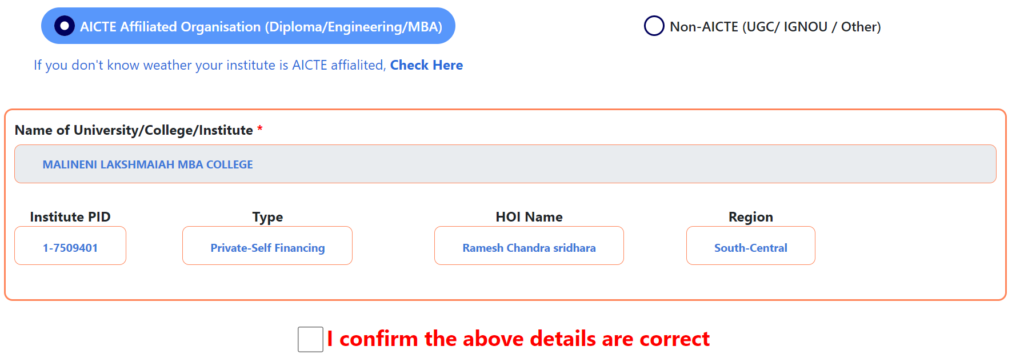
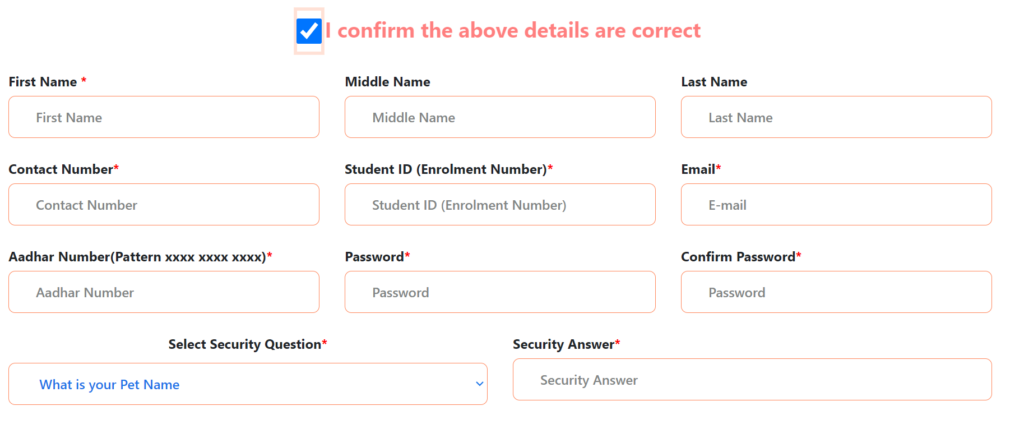
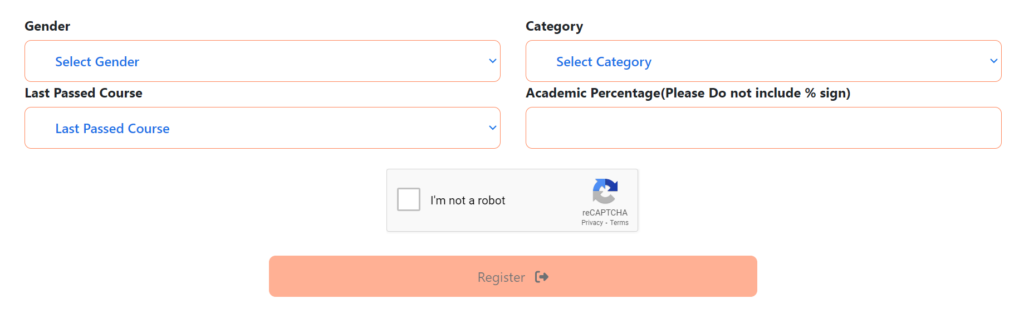
STEP 6 : After that you have to confirm your college details .check on the i confirm the above details are correct. Then You scroll down and filled all the remaining details of the registration form. like your name , contact number, email id, aadhar number, password, security question /answer, Your Gender, Category, Last Passout Year, and the your percentage. You have to enter correct email id. Because after successfully you will receive one confirmation mail on your registered email id . without confirmation you can not login your account on aicte internship portal.
If you encounter any issues during the registration process, you can reach out to the AICTE Internship portal support team for assistance.
You can mail on the : internship@aicte-india.org
You want more updation of internship or new internship . you can follow on telegram channel
National students code
Hi Imran I am not understand your question . Pls tell me in brief.
My college details are wrong and there is no option to edit it.How can I change it
Share your college details
aicteinternship