
Introduction to NATS 2.0 Student Registration 2026
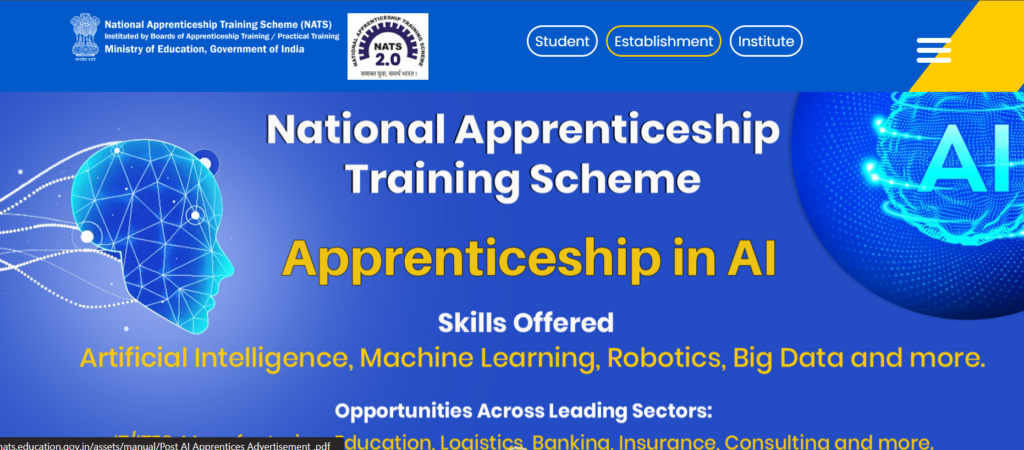
The NATS 2.0 Student Registration 2026 is an online process that allows students to apply for apprenticeship training under a government initiative. This platform connects students with companies where they can gain practical experience after completing their studies.
The portal is designed to make registration simple, secure, and fast by using Aadhaar verification and digital document systems.
What is NATS 2.0 Portal?
NATS 2.0 is a digital platform created to help students find apprenticeship opportunities across India. It brings students, companies, and government systems together in one place.
Main Features:
- Online registration for students
- Aadhaar-based identity verification
- Easy document upload through DigiLocker
- Direct access to apprenticeship openings
- Simple and user-friendly interface
This portal helps students move from education to real job experience smoothly.
Who Can Apply?
Before starting the NATS 2.0 Student Registration 2026, make sure you meet these conditions:
Eligibility Criteria:
- Students who have completed Diploma
- Students who have completed Graduation
- Must belong to a recognized college or university
Mandatory Points before registration on NATS 2.0:
- Students currently studying should choose another category (Sandwich/AEDP)
- Aadhaar card is required
- APAAR ID is compulsory
Important Dates
| Activity | Details |
|---|---|
| Registration Start | Already Open |
| Last Date | Not fixed |
| Profile Completion | After registration |
| Apply for Internship | After profile approval |
Important Links
- NATS Portal: https://nats.education.gov.in/
- DigiLocker: https://digilocker.gov.in/
- APAAR ID Portal: Create Apaar ID
Documents Required
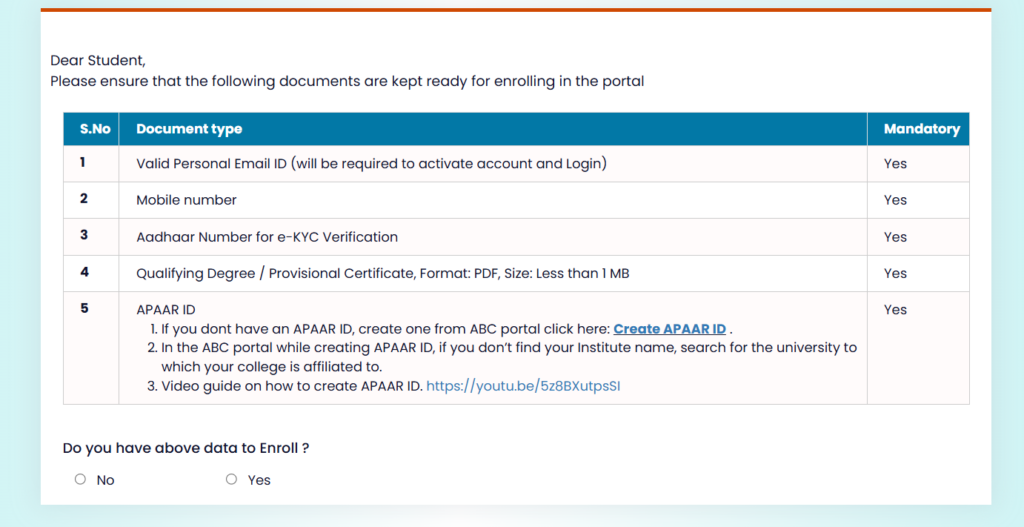
Before you begin, keep these ready:
- Email ID (working)
- Mobile Number
- Aadhaar Card
- Degree or Provisional Certificate (PDF format)
- APAAR ID
These details are necessary to complete the process smoothly.
Step-by-Step Registration Process
Now let’s understand how to complete the registration easily:
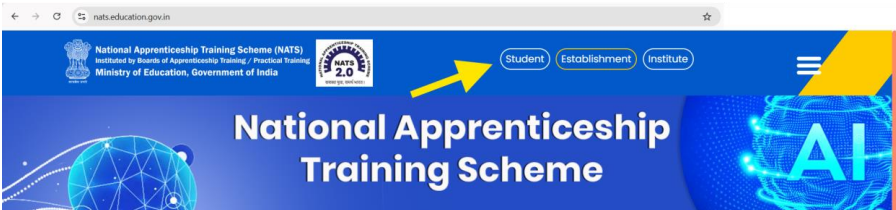
1st Step: Visit Official Website
Go to the NATS 2.0 portal and click on the Student option.
2nd Step: Choose Student Type
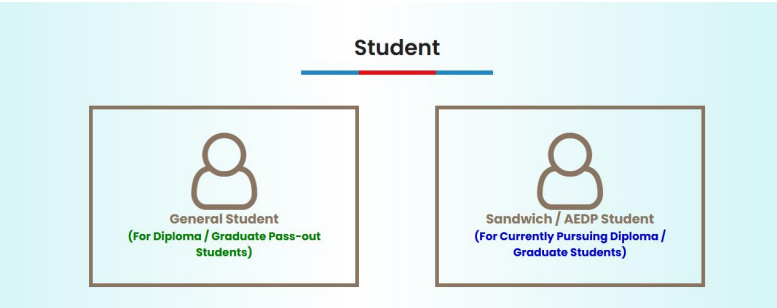
Select:
- General Student (for pass-out students)
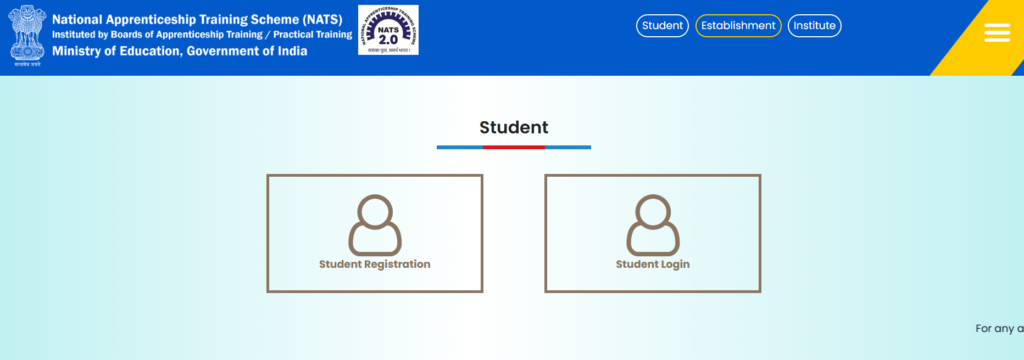
3rd Step: Click on Registration
Click on the Student Registration button to start.
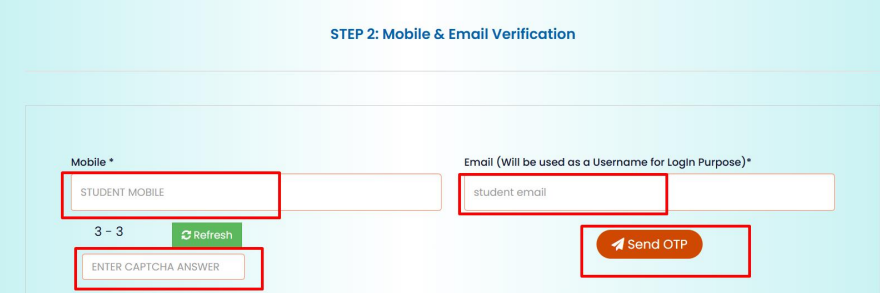
4th Step: Verify Mobile & Email
- Enter your mobile number
- Enter your email ID
- Fill captcha
- Click on Send OTP
- Enter OTP and verify
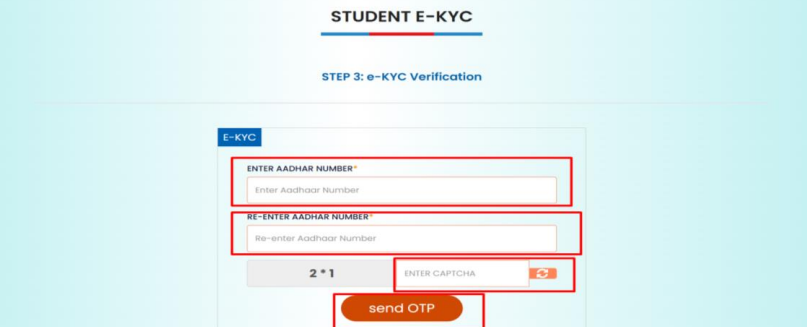
5th Step: Aadhaar Verification (e-KYC)
- Enter Aadhaar number
- Confirm details
- Accept declaration
- Verify OTP
This step confirms your identity securely.
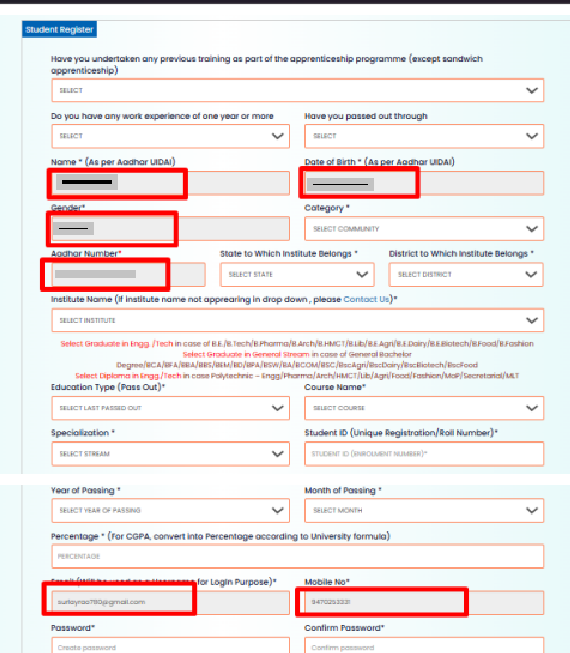
6th Step: Fill Registration Form
Some details will be automatically filled like:
- Name
- Date of Birth
- Gender
You need to enter:
- Education details
- College information
- Course and specialization
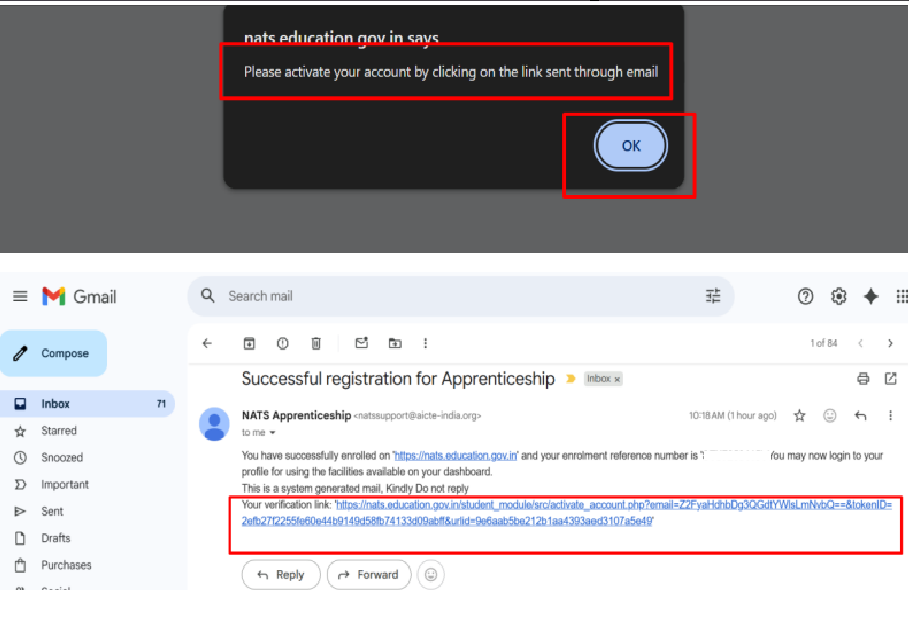
7th Step: Activate Your Account
- Check your email
- Click on verification link
- Your account will be activated
Login and Complete Profile
After registration, login using:
- Email & password
OR - Aadhaar login
Profile Completion Steps
Step 1: Basic Details
Most details are already filled. You can update them if needed.
Step 2: Educational Details
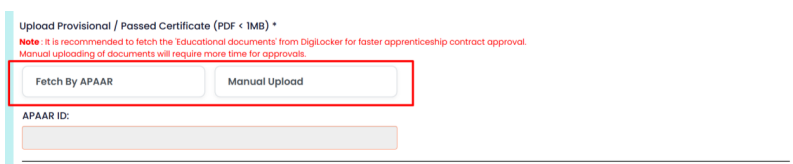
You need to upload your certificate. You have two options:
- Upload manually
- Fetch from DigiLocker (recommended)
Using DigiLocker is faster and more reliable.
Step 3: Address Details
Fill:
- Permanent address
- Current address
Step 4: Training Preferences
Choose:
- Preferred location
- Field of interest
Step 5: Final Submission
- Check all details
- Make corrections if needed
- Submit the form
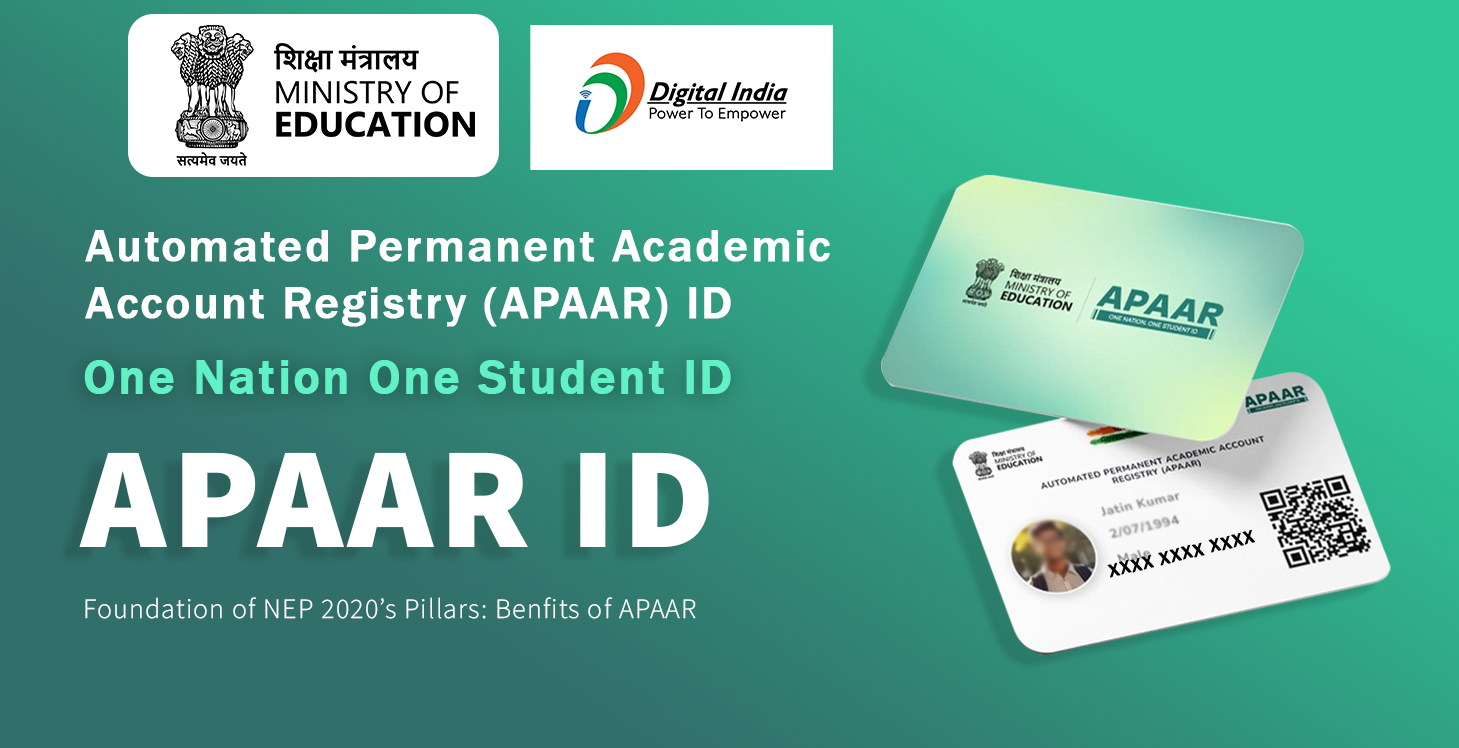
What is APAAR ID?
APAAR ID is a unique student ID used to verify academic records.
Why It’s Important:
- Helps fetch certificates easily
- Reduces manual work
- Speeds up approval process
Read Also :
How to Create an APAAR ID Card for College Students
Benefits of NATS 2.0
Students get many advantages through this portal:
- Real industry experience
- Better job opportunities
- Government-recognized training
- Skill improvement
- Verified profile
- Monthly Stipend
- eligible for DBT
What Will You Learn?
During apprenticeship, students learn:
- Practical job skills
- Industry knowledge
- Work environment understanding
- Professional communication
Certification Details
After completing apprenticeship:
- You will receive a certificate
- It is recognized across India
- Helps in getting jobs faster
Common Mistakes to Avoid
- Wrong Aadhaar details
- Uploading unclear documents
- Not verifying email
- Skipping APAAR ID
for Quick Approval your Nats 2.0 Profile
- Use DigiLocker for documents with appar id.
- Fill correct information
- Create APAAR ID.
- Do eKYC with Aadhar Number
- Complete profile quickly
- Keep all documents ready
The NATS 2.0 Student Registration 2026 is a great opportunity for students who want to gain real work experience after completing their studies. The process is simple, online, and designed to help students start their careers.
If you want to build your future with practical skills, don’t miss this opportunity.
Visit : Aicte Internship vlog
🚀 Join WhatsApp Group for Latest Updates
Get daily updates on internships, government schemes, and jobs.